

PapEye Line Quality · printed line and text quality
Measure printed line quality from a flatbed scan
For evaluating printed lines and text in print, ink and printer laboratories. PapEye Line Quality measures the width, raggedness, blurriness and darkness of printed lines from a flatbed scan, with an algorithm based on ISO/IEC 24790:2017.
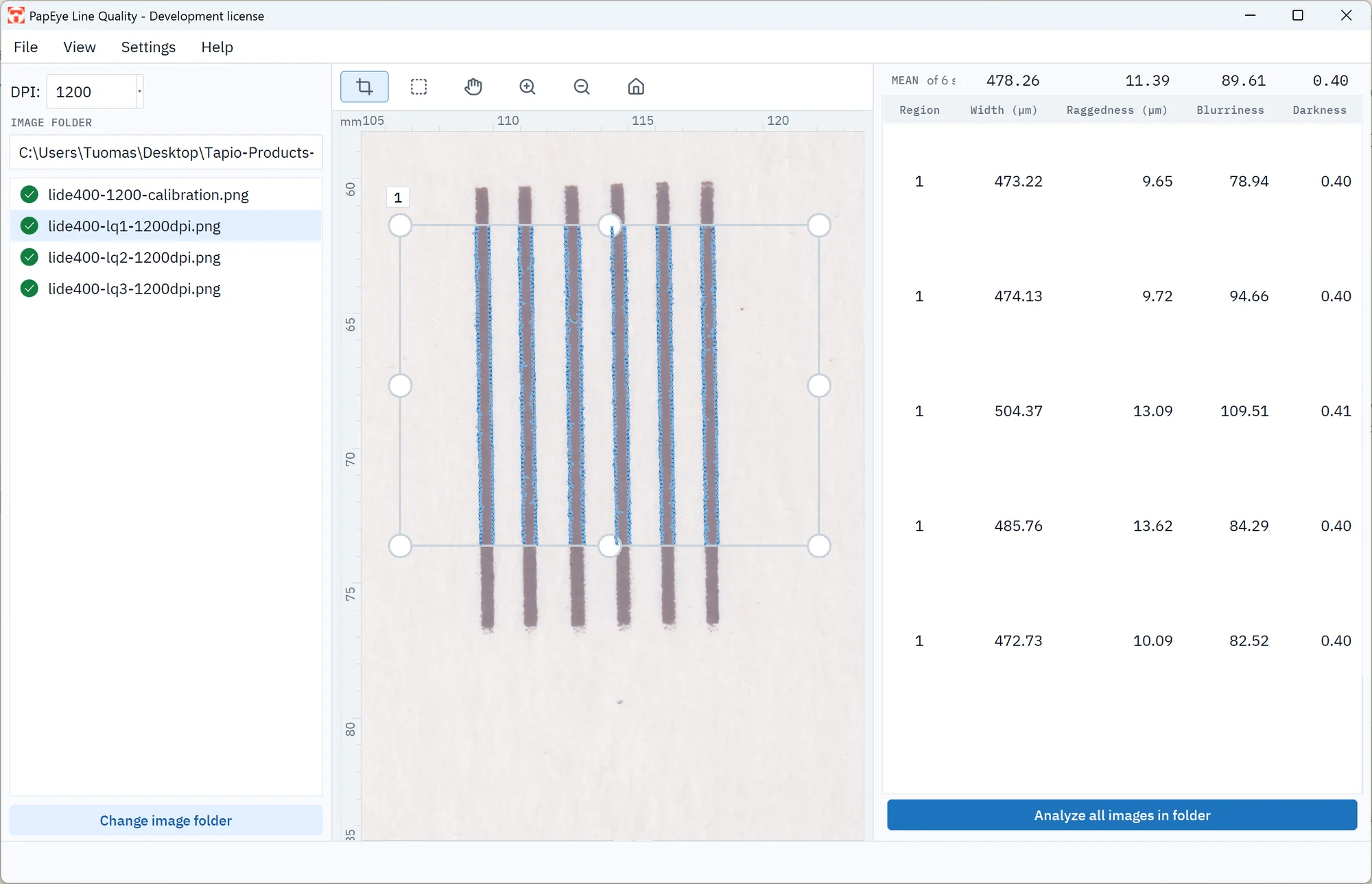
One of three PapEye applications for scanned samples. Measuring mottling or banding of printed areas? See PapEye Print Uniformity. Counting dirt in pulp, paper or board? See PapEye Dirt Count.
What it measures
PapEye Line Quality measures the width, raggedness, blurriness and darkness of printed lines from a flatbed scan, so an ink, a paper or a printer setting can be compared in micrometers. The attributes are defined at reflectance thresholds in the software, so the numbers depend on the scan. Compare samples scanned with the same scanner, resolution and settings, or calibrate the scanners.
| Attribute | Definition |
|---|---|
| Line width | The average distance between the two edges of the line at the R40 reflectance threshold, in micrometers |
| Raggedness | How far the edges wander from a fitted straight line, in micrometers |
| Blurriness | The width of the edge transition, from the R70 to the R10 boundary, divided by the square root of the line's optical density |
| Darkness | The average optical density inside the line's R25 boundary, multiplied by the square root of the line width in millimeters, which makes lines of different widths comparable |
How the analysis works
- 01
Scan
Scan the printed samples on a flatbed scanner, at 1200 DPI as the standard specifies. Scans below 600 DPI are measured but flagged.
- 02
Draw regions across the lines
PapEye measures every line that crosses a region completely, from top to bottom or from side to side, up to 50 lines per region, and gives each line its own row of results.
- 03
Check and export
Check the measured edges drawn over the scan, then copy the results or export them to CSV. Batch analysis applies the same regions to a whole folder of similar samples.
See exactly what was measured
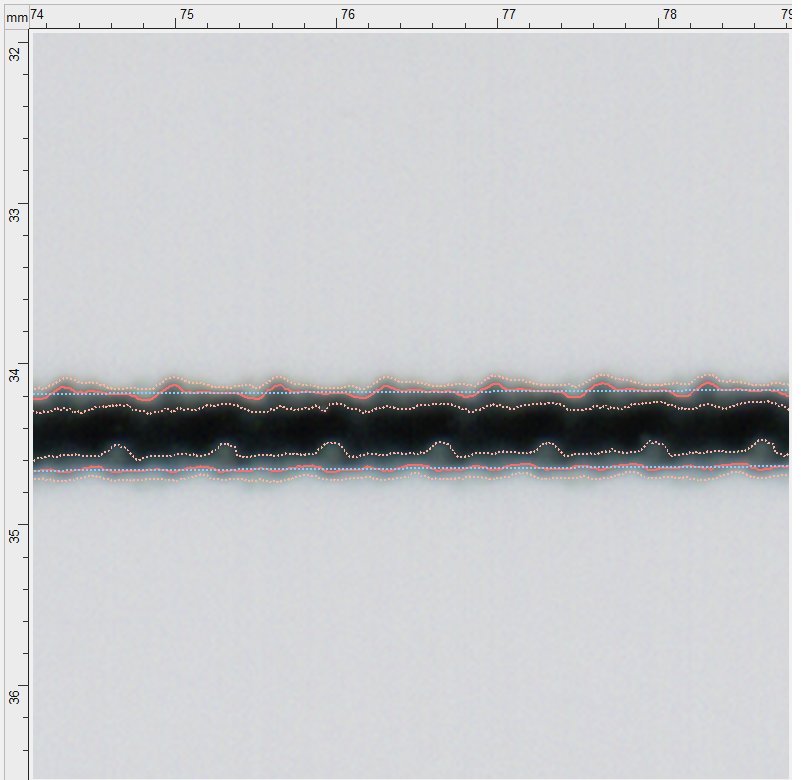
PapEye draws the measured boundaries over the scanned line, so you can see that the software found the edge you meant and how each value was produced.
The R40 edges are drawn at full strength and the boundaries of the blurred transition more lightly. The fitted straight line used for raggedness is dashed, because it is a calculated reference and not something printed on the paper.
Requirements and licensing
The region must contain enough of the line and of the paper beside it for the edges to be measured. PapEye warns when the recommended conditions are not met.
| Scan resolution | 1200 DPI as specified in the standard; scans below 600 DPI are flagged |
|---|---|
| Line length in the region | At least 1 mm; 5 mm or more recommended |
| Region across the line | Line width plus about 2 mm recommended, with clean paper on both sides of the line |
| Line orientation | Within 30 degrees of vertical or horizontal |
| Operating system | Windows, Linux |
| Installation | None: unzip the download and run the program |
| Image formats | PNG, JPEG, GIF, BMP and PDF |
| Exports | CSV (semicolon-separated, opens in Excel), copy to clipboard, PNG thumbnails of each region, sample regions saved for reuse |
| Batch analysis | All images in a folder with the same regions |
| Command line | For scripted analysis of single images with saved regions |
| Method | Proprietary algorithms based on the ISO/IEC 24790:2017 standard |
| License | A permanent license for one PC |
Each PapEye application has its own license, and a license for one does not unlock another. To license Line Quality, ask us for a demo or a quote; when you first start PapEye it shows a Machine ID, which you send to us, and you save the license file you receive in the .papeye folder in your user folder.
FAQ
Do I need scanner calibration?
Not for comparing similar samples measured with the same scanner, resolution and settings: the scanner adds about the same blur to every one. For results you want to compare with another laboratory, calibrate with a grayscale target and a slanted-edge target in the Line Quality settings.
Why does a line give no result?
Usually the line does not cross the whole region, stops inside it, is more than 30 degrees off vertical or horizontal, or does not have enough clean paper beside it.
Can it measure characters as well as lines?
ISO/IEC 24790 defines these attributes on straight line segments, and so does PapEye. To analyze a character, draw the region across a straight stroke that crosses the whole region.
What does darkness tell me?
How solidly the line is printed. It is the average optical density inside the line, scaled by the square root of the line width, so a thin line and a thick line printed equally solidly score alike.
Request a demo or quote
Tell us what you print and what you need to compare.
You can also email info@tapiotechnologies.com.
Thank you. Your PapEye enquiry has been received. We normally respond within one working day.