

Article
Measuring CD Mottling Profiles with PapEye Print Uniformity
The PapEye Print Uniformity software has a mode which can batch-process entire folders and give the results for all sample images in the folder for the same selected area. A Tapio customer implemented a measurement where a set of sheets is used to create a CD profile of mottling.
Measurement method
When sheets are sampled from known positions across the paper web, the same measurement can be used to produce a cross-direction (CD) mottling profile. Sheets are collected from different CD positions and kept in their original order. The complete set is then scanned as a batch.
PapEye Print Uniformity applies the same measurement regions to each scanned sheet and exports the mottling results to CSV. The measured mottling values can then be plotted against the original CD position of each sheet.
The resulting profile shows how print uniformity changes across the width of the web. It can reveal, for example, an edge-to-edge trend or an individual CD position with higher mottling.
Scanning
PapEye Print Uniformity also produces graininess and banding values if the resolution is high enough, but for mottling measurements 300 DPI is sufficient. In our tests, dropping the scanning resolution from 1200 DPI to 300 DPI did not change the measured mottling values, but enabled a significant speed-up in scanning.
This is also expected, since the scale of the mottling phenomenon is in the order of 3 to 20 mm: ISO/IEC 24790 measures mottling in the band 0.046 to 0.37 cycles per millimeter, and at 300 DPI one pixel is 0.085 mm. The other PapEye Print Uniformity measurements operate at a finer spatial scale. Graininess is measured at 1200 DPI and banding at 600 DPI.
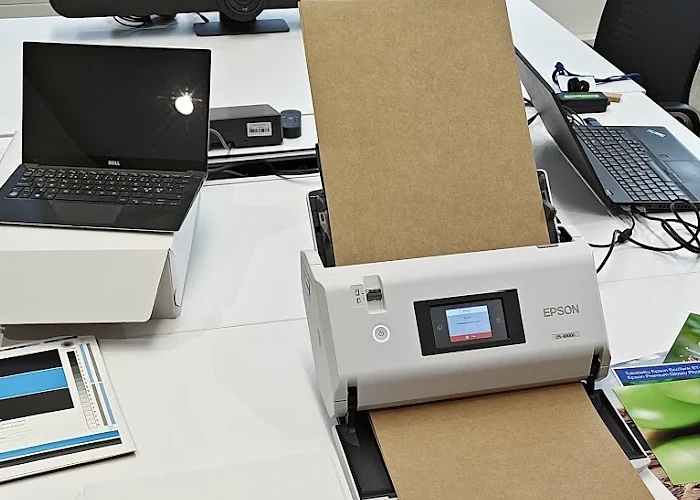
For routine measurements, an autofeed scanner makes it practical to analyze a large number of sheets; a suitable model for this purpose is e.g. the Epson WorkForce DS-30000 A3 sheet-fed scanner. A conventional flatbed scanner can also be used.
The scanner–autofeed-software combination has worked extremely well in measuring mottling. It is definitely the smartest way to carry out measurements, since there’s no need to open the scanner and change the sample after every sheet, whether you’re dealing with single sheets or 20 sheets.
The complete measurement therefore requires only the sampled sheets, a suitable scanner and PapEye Print Uniformity. The same folder mode is what makes counting dirt over ten sheets at once practical in PapEye Dirt Count.
Talk to us about your measurement
Sensors, analyzer configurations, software or analysis methods: tell us what you need to measure.